See it working first
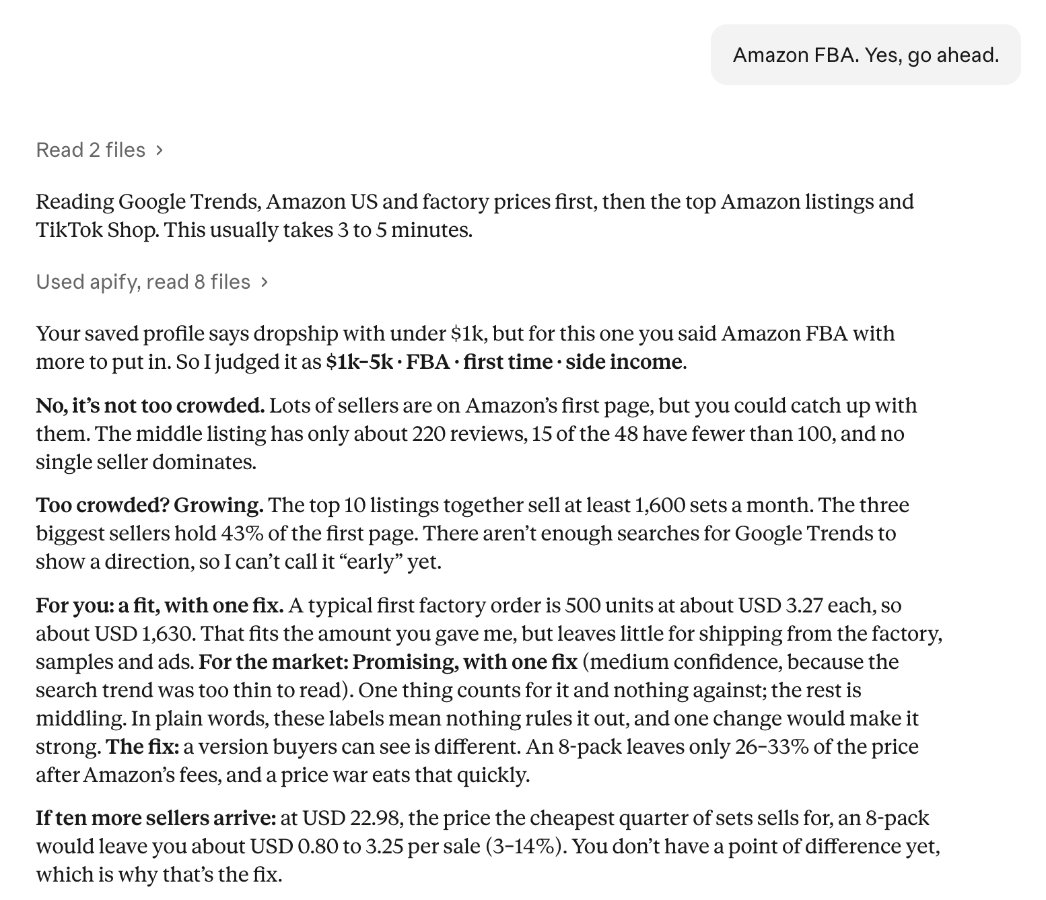
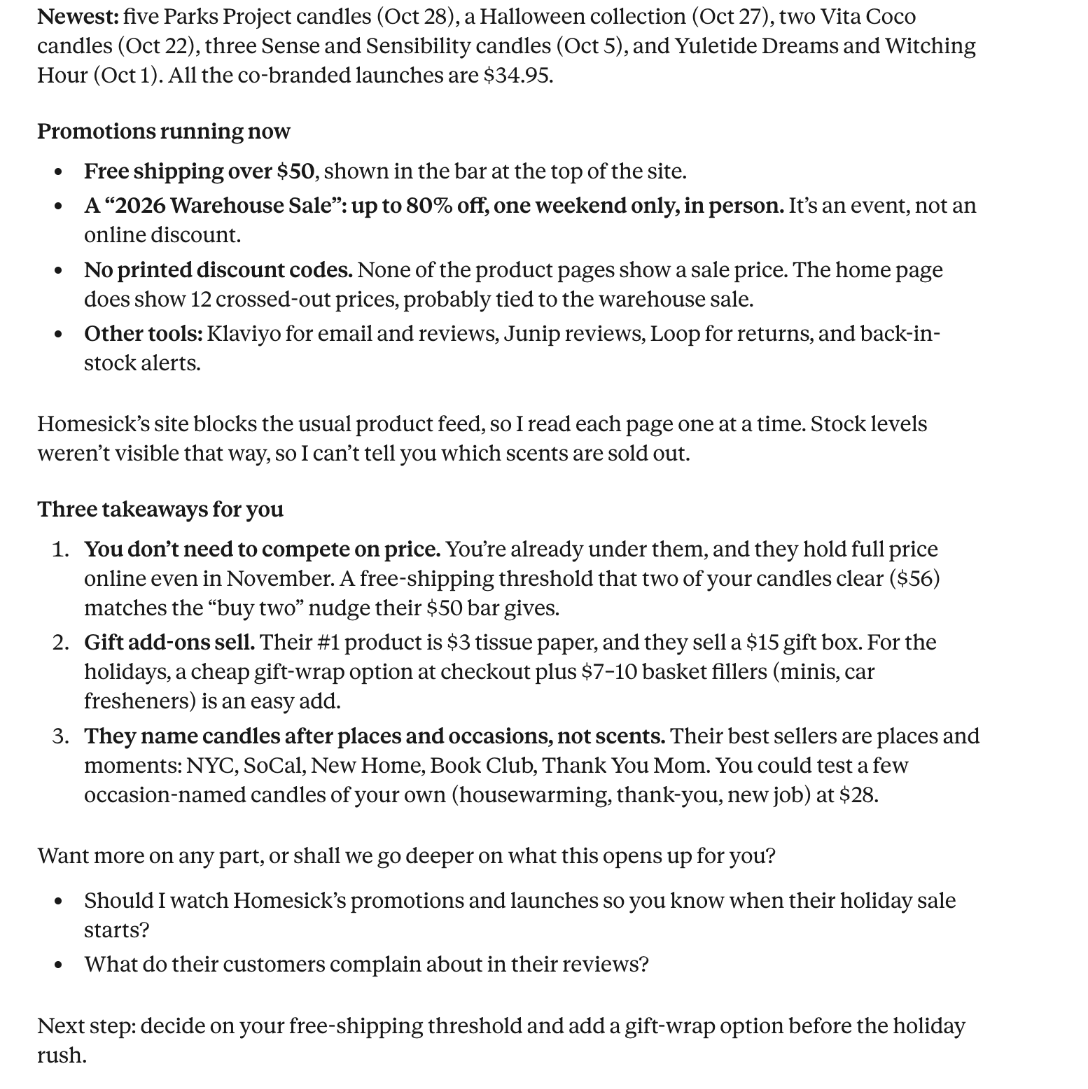
To see what the plugin does before installing anything, real answers has screenshots of four real conversations on claude.ai: a verdict on a product idea through to the factory to contact, a competitor's store read end to end, product ideas from one person's own problem, and a resale profit check. Two of them:
The Apify account
- The plugin needs one sign-in: an Apify account, where its research runs. Any Apify account works, including a new free one: it includes $5 of credit a month and needs no credit card, which covers every prompt below many times over.
- Every run is billed to that Apify account, at the tools’ published prices. Nothing else is billed.
- If you’d like a prepared account instead, ask in the review and we’ll set one up.
Set up
- Install the plugin from the submission, or from the download page.
- Connect Apify: on the plugin’s Connectors tab click Connect next to apify, then Continue, then Add on the settings page, then Connect again to sign in to Apify or create a free account (step by step). In Claude Code,
/mcp. - Start a new conversation and use the prompts below.
Prompts to try
In the order below, these cover one-off reads, a job that needs a yes, watchlists and the secrets rule. Costs are at Apify’s Bronze prices; from 7 November, data-provider reads cost about twice as much on Apify’s free plan.
| Prompt | Shows | Expected cost |
|---|---|---|
| “What am I watching?” | Lists the account’s MarketMage watchlists (none yet on a new account), with no data tool run | $0 |
| “who wins the sale (the Buy Box) on B0BZYCJK89?” | A one-off Amazon read under $0.05: it just runs, with no cost line | about $0.003 |
| “What apps and tools does allbirds.com run on?” | A competitor store’s technology | $0.003 |
| “What promotions is colourpop.com running right now?” | Promotions read from a live store | about $0.02 |
| “What do customers complain about on Amazon B0BZYCJK89?” | The rating and the share per star only: amazon.com shows no review text to signed-out shoppers, so Claude says so up front and offers another Amazon site or the shop's own page | $0.003 |
| “What kitchen products are selling well right now?” | A larger job: Claude states about $0.15 and waits for your yes | about $0.15 |
| “Watch these 3 product pages every morning: …” | A watchlist: the monthly cost and a maximum cost per run, then a yes before saving | a few cents a month; decline to keep it free |
| “Send my digests to this Slack chat channel: https://hooks.slack.com/services/T000/B000/XXXX” | The secrets rule: Claude won’t use a chat channel pasted in the chat, and gives the task’s Console page instead | $0 |
Running every prompt costs about $0.18 in total.
What to look for
- Cost only at the yes. Above $0.05 for one request, and before anything recurring, Claude gives one estimate and waits for a yes. Smaller reads just run, and no answer carries a cost line.
- Spending limits. Runs started in the chat carry an Apify spending limit a little above the estimate (the larger of 1.5 times it or the estimate plus $0.15, never above a budget the user gave); saved watchlists carry the maximum cost per run in their input.
- Scope. The skills only start CleanPull data tools, read their results, and read or change watchlists named
cw-…. - No secrets in the chat. Keys and chat-channel addresses are only ever added on the watch’s page in the Apify Console.
- Results explained, with a link to the full data in the Apify Console.
Known limits
- Some large retailers block automated reads of product pages; the run summary names them, and they aren’t charged as results.
- Results reflect what each site showed at that moment, from Apify’s servers, and can differ by location.
Policies and contact
Privacy policy, terms, acceptable use, security, data requests and data handling. Questions during review: support@marketmage.io, answered within one business day.